

Developer news
Notifications in Developer Portal
Introduction
The Developer Portal offers users a comprehensive suite of resources on KYC API products, including Service Messages, Release Notes, and Developer News. With the introduction of the Notification feature, users can now receive email updates about changes or updates to these resources. To enable notifications, users simply need to subscribe by following the step-by-step guide provided below.
How can you subscribe to Notifications via email?
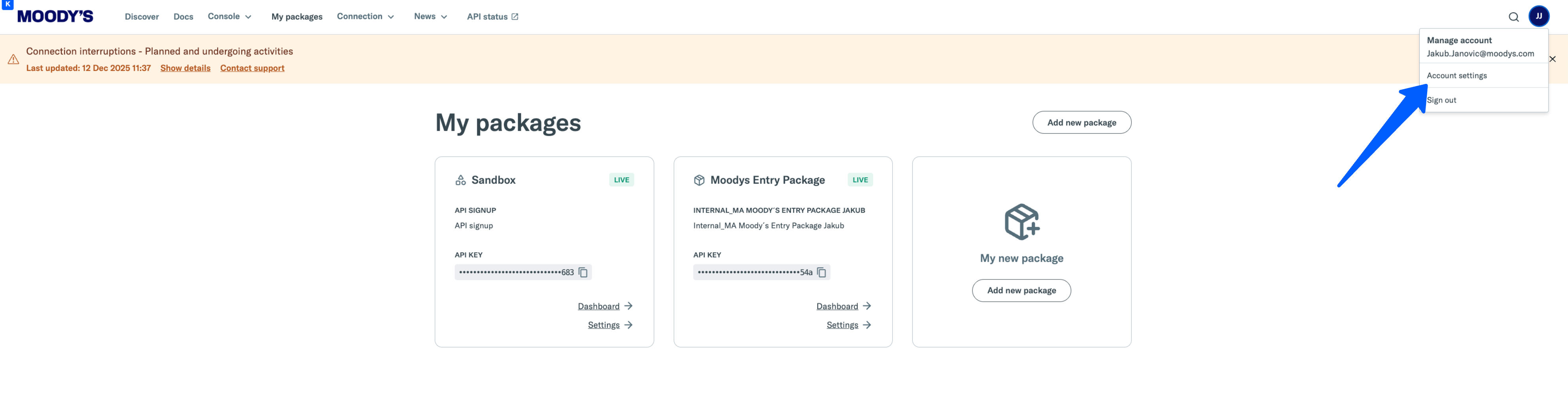
1. Navigate to Developer Portal > Account Settings
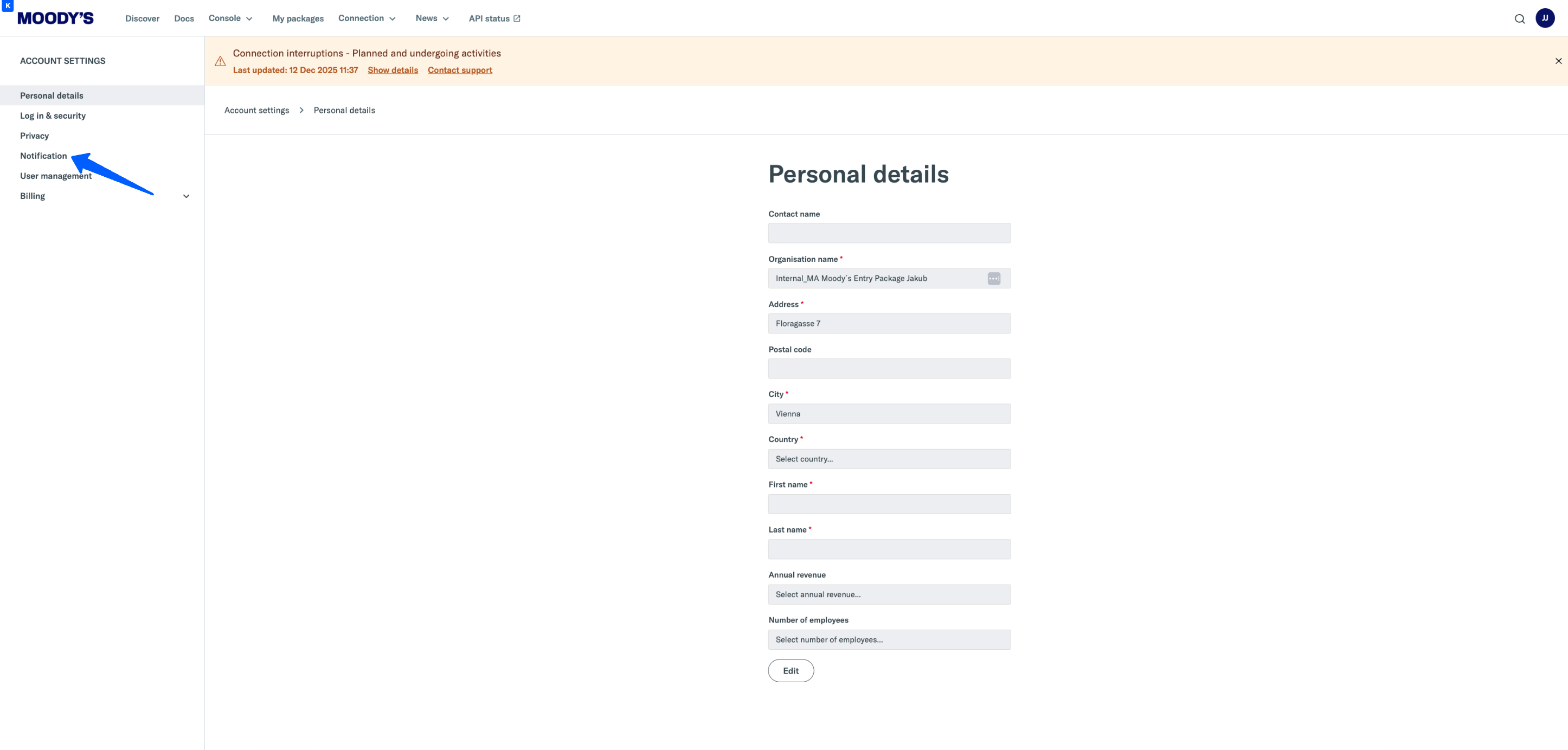
2. Account Settings > Notification
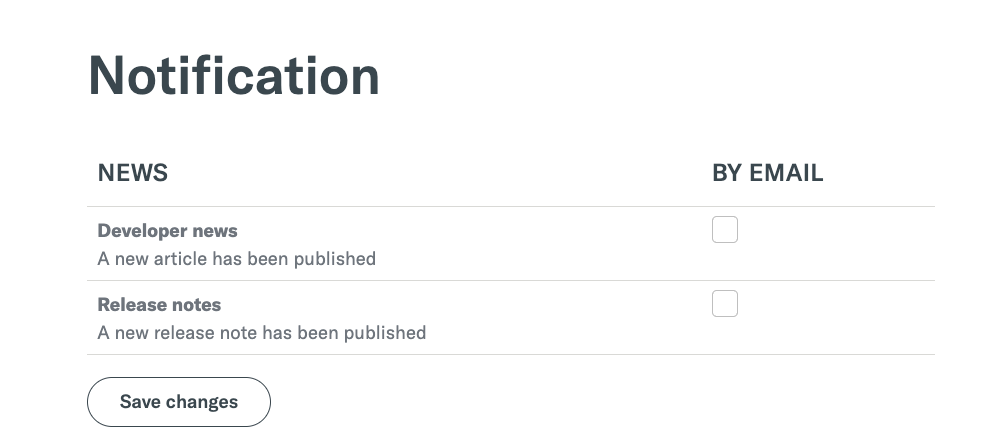
3. Selecting the right setup
- Developer News and Release Notes
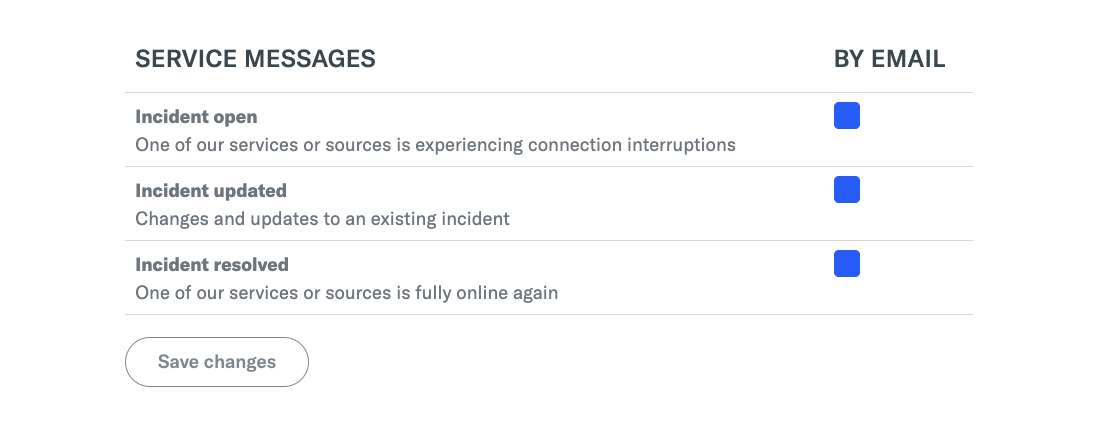
- Service Messages
- Incident Open: Receive a notification whenever a new Service Message is created.
- Incident Updated: Receive a notification when an existing Service Message is updated, such as a change to the incident’s end date.
- Incident Resolved: Receive a notification when a Service Message is closed, indicating that the incident has been resolved.
Within the Notifications feature, you can choose from the following categories to subscribe to:
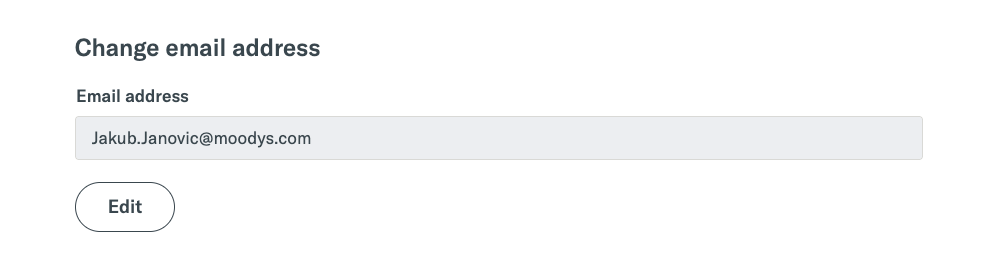
4. Change email address
By default, your email address is set as the recipient for notifications. If you wish to update or change the designated email address, you can do so by selecting the “Edit” button.
Service Messages Endpoints
To gain a better understanding of the data available in Service Messages, refer to the endpoint guides provided in the Developer Portal.
Support
For any issues or further assistance, please contact our support team at [email protected].